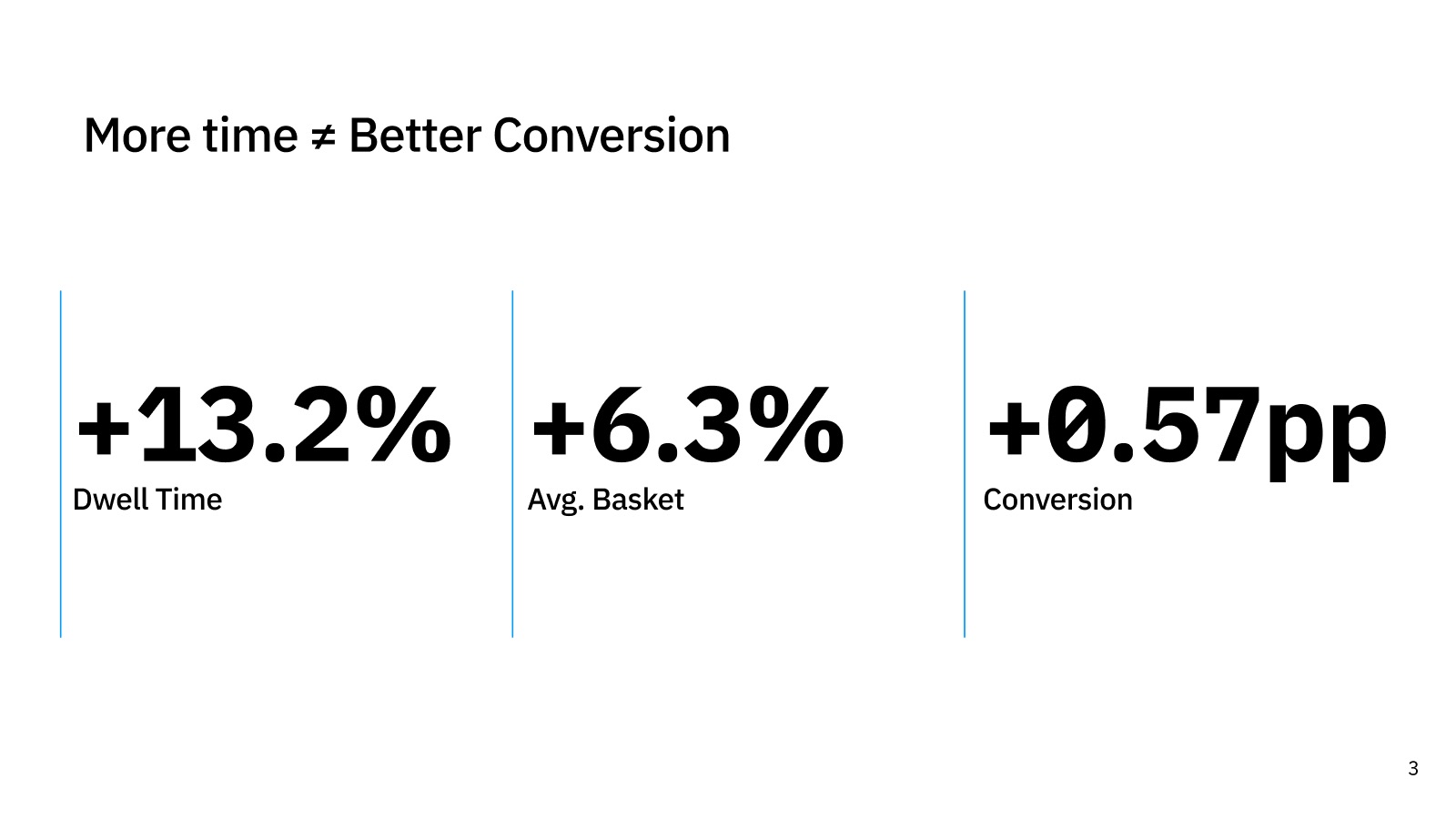
More time in the store didn’t lead to more sales
Customers often wander the store while they wait for a prescription. The data showed that this extra time barely changed what people bought.
Waiting time on its own doesn’t create value. Customers need to know where their prescription stands, and anything they’re shown should be relevant to them.
Designed for the people actually waiting
I combined store-data analysis with in-store observation, then tested the first prototype with five participants. Two findings changed the direction:
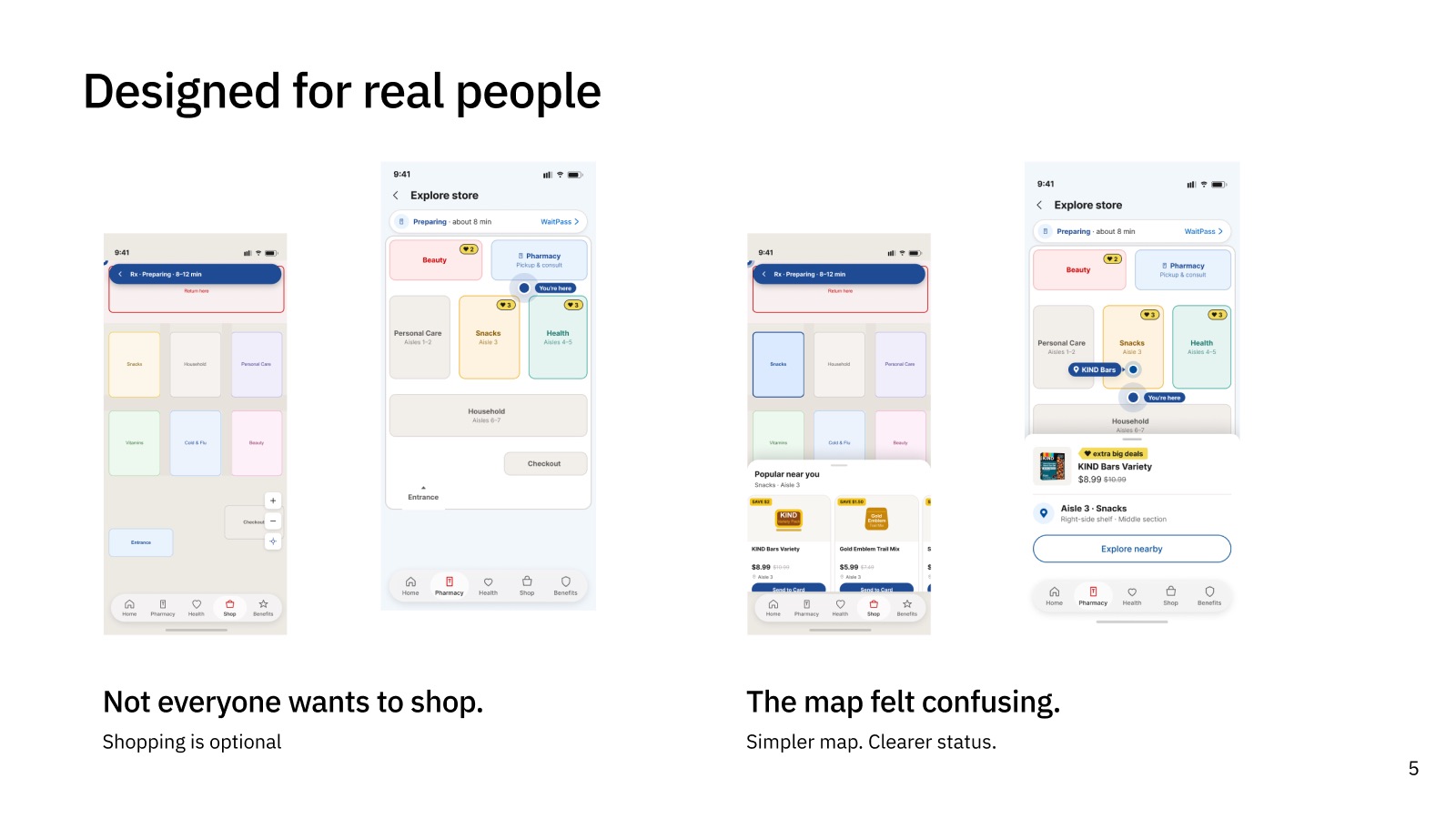
“Not everyone wants to shop.”
Interest in shopping varied a lot. Many customers only want their prescription, so exploring had to stay optional.
“The map felt confusing.”
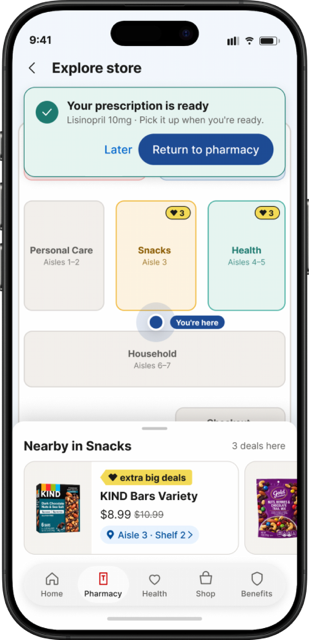
I rebuilt the detailed floor plan as a simple zone view.
Simpler map. Clearer status.
Prescription status stays visible on every screen, and shopping is a choice the customer makes.
Check in, explore, find, pick up
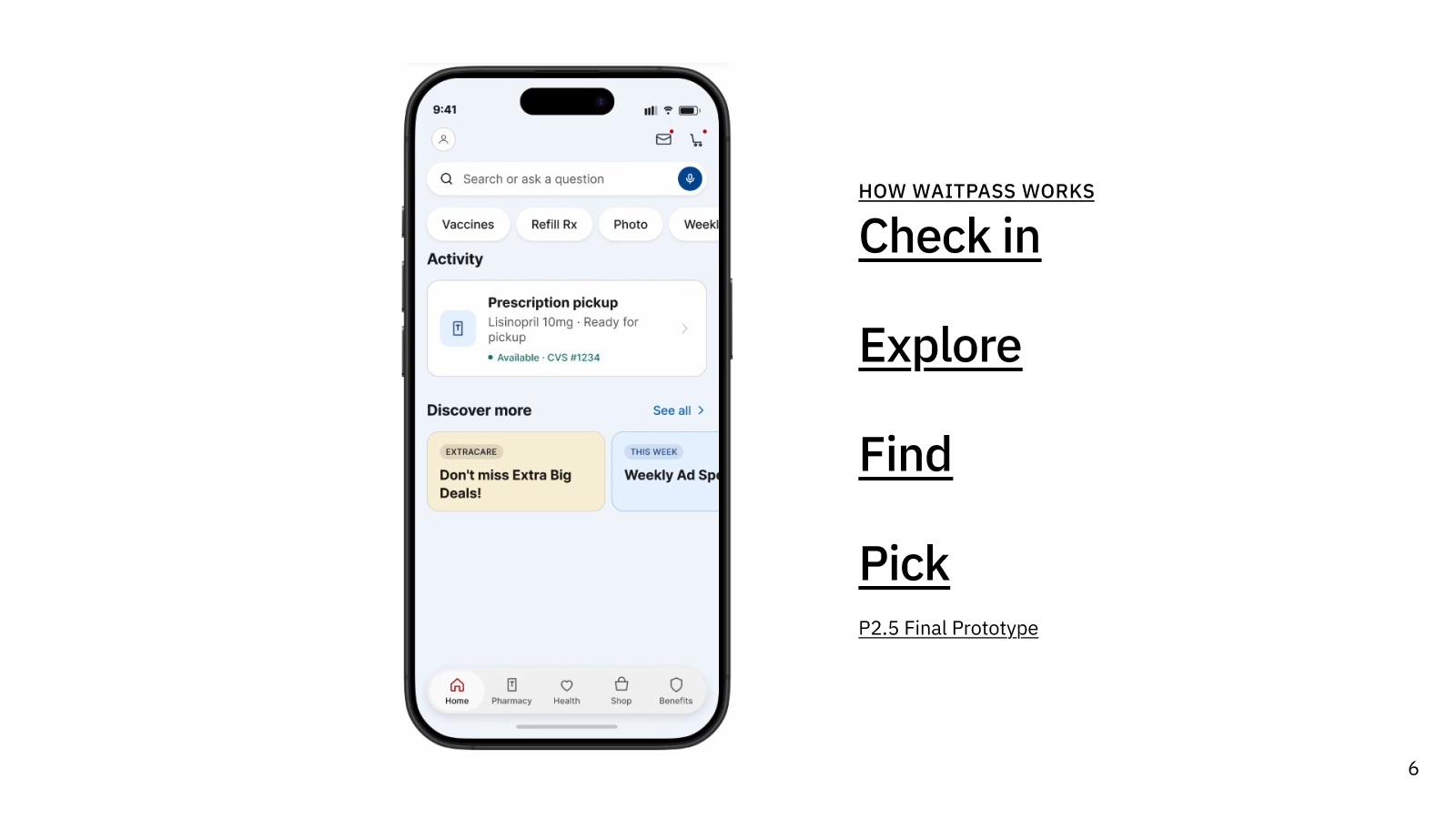
WaitPass follows the customer’s path through the visit:
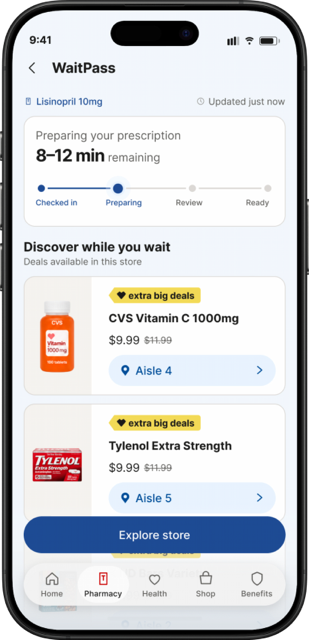
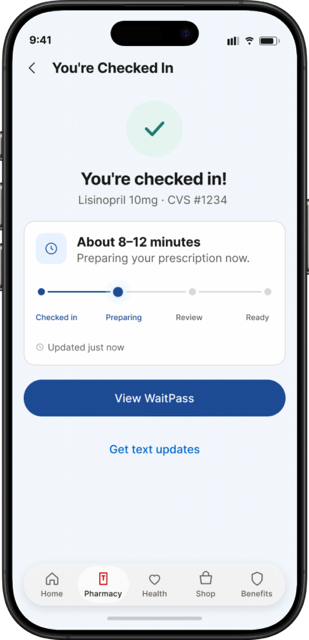
- Check in. Customers see an estimated wait (for example, 8–12 minutes) and a four-step tracker: checked in, preparing, review, ready.
- Explore. They can browse products and ExtraCare offers related to their visit, or skip this step.
- Find. A simplified store map leads them to a product’s exact location.
- Pick up. The phone and Apple Watch alert them when the prescription is ready.
Easier to read, hear and use
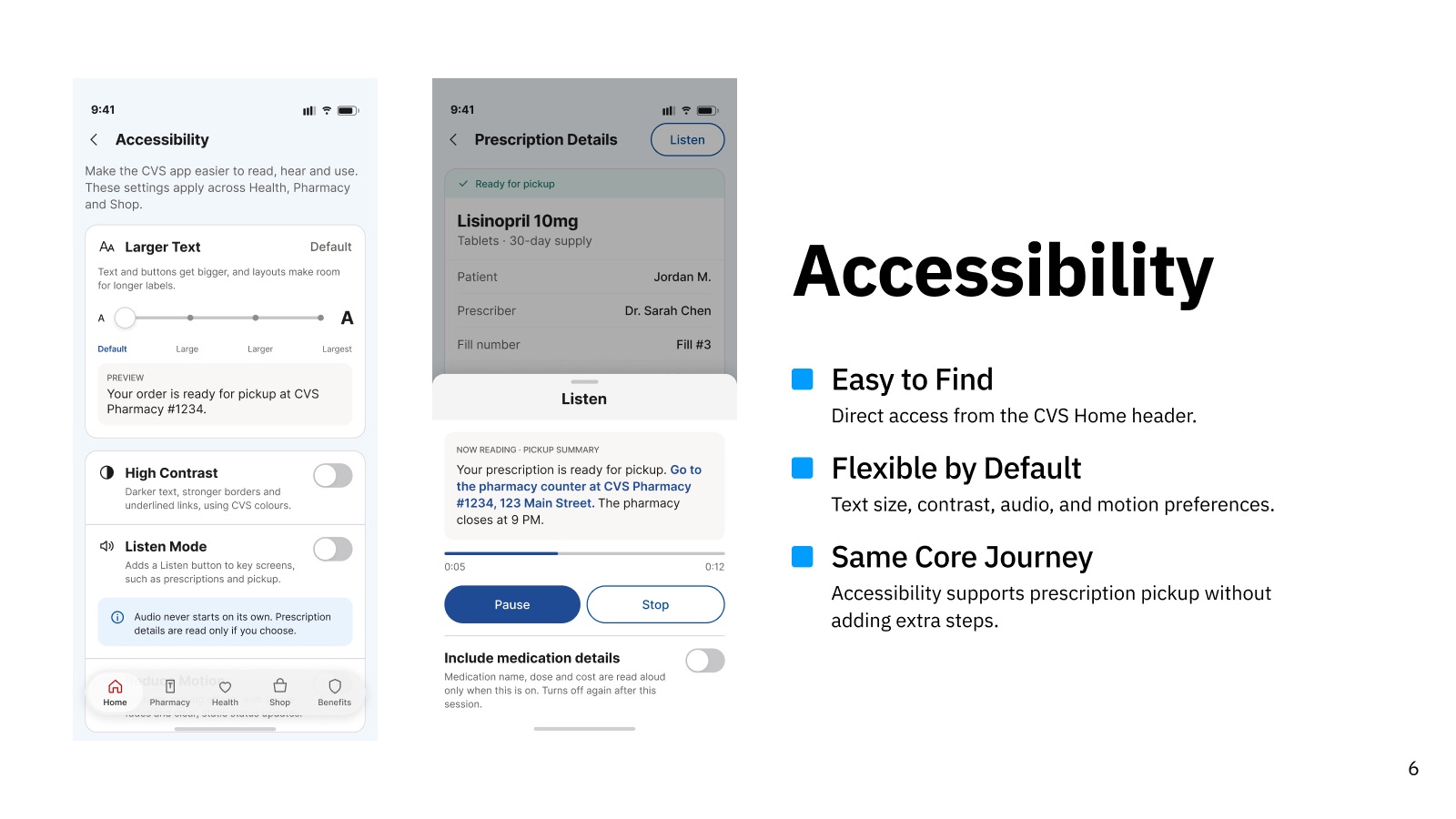
Pharmacy customers include older adults and people managing illness, so accessibility settings sit in the CVS home header and apply across the app without adding steps to the main flow. All of it is built on the CVS design system.
Larger Text
Text and buttons grow, and layouts make room for longer labels.
High Contrast
Darker text, stronger borders and underlined links, using CVS colors.
Listen Mode
Adds a Listen button to key screens. Audio never plays on its own, and medication details are read aloud only if the customer turns that on.
Reduce Motion
Turns off non-essential animation.
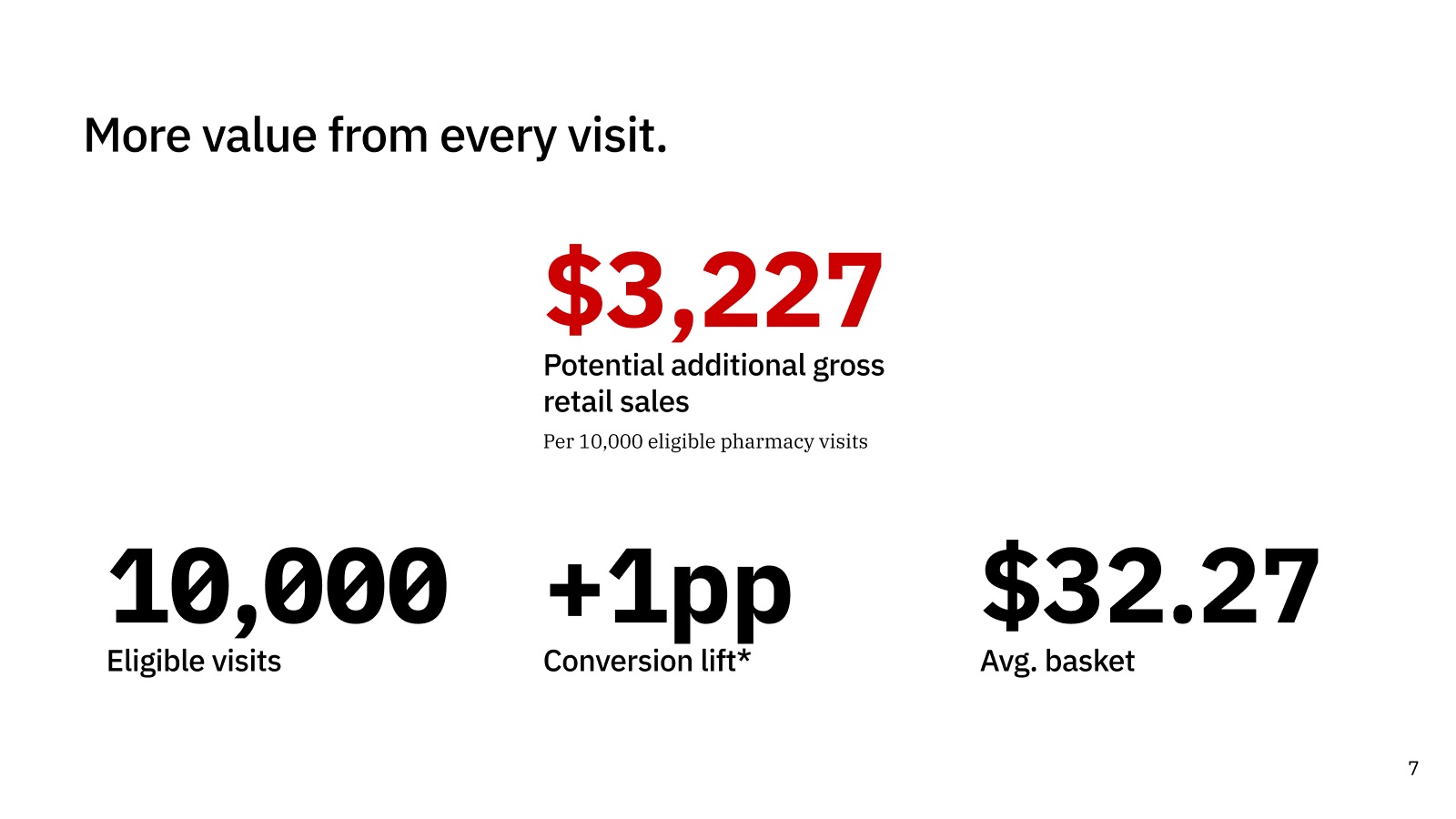
More value from every visit
A conservative model: a 1-point lift in conversion with a $32.27 average basket.
Even a small lift adds up across a pharmacy network, and customers get a calmer, clearer wait.